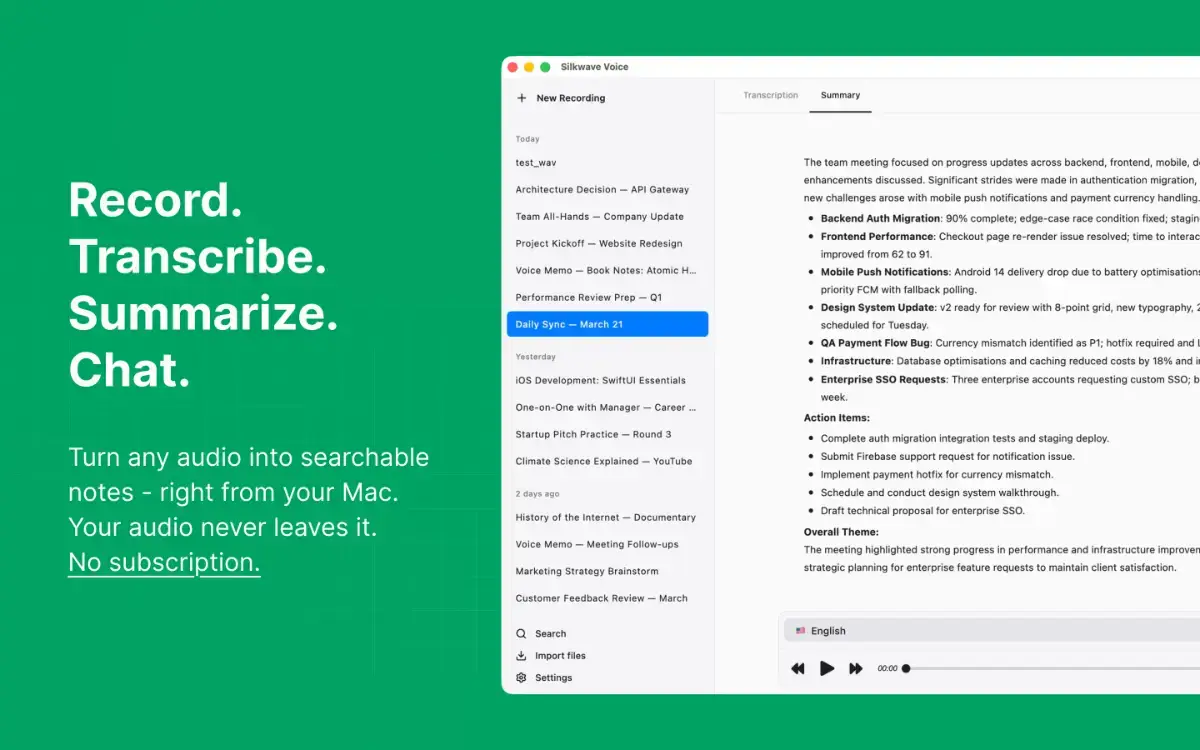
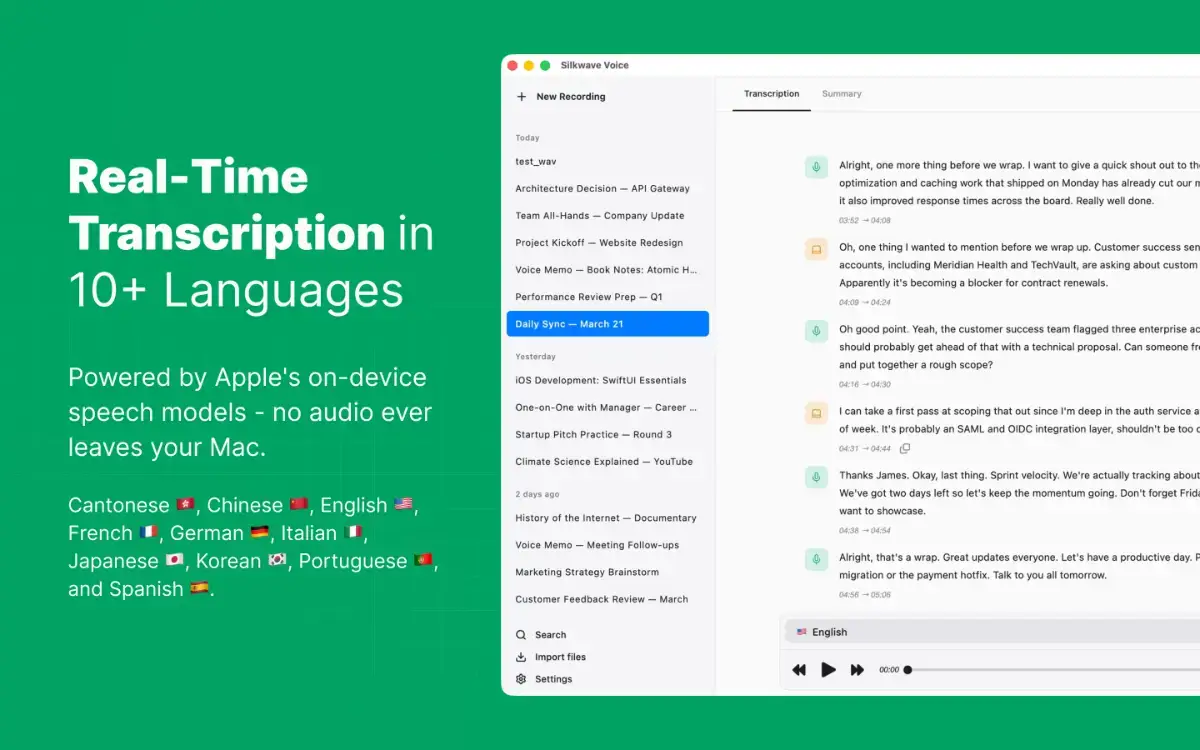
Silkwave Voice is a privacy-focused audio recording and transcription app for macOS. Record from your microphone, system audio, or both at once, or import audio files you already have, with accurate, real-time transcription powered by Apple's on-device speech-to-text models. Ask follow-up questions and get AI summaries of any recording without leaving the app. No cloud uploads, no subscriptions, no per-minute API costs.
RECORD ANY AUDIO SOURCE
Microphone - voice notes, in-person meetings, dictation
System Audio - Zoom, Google Meet, Teams, YouTube, browser tabs
Both at once - capture your mic and remote participants simultaneously
No third-party audio drivers required
IMPORT & EXPORT
Import audio you already have - MP3, M4A, WAV, FLAC, and more
Bring in several files at once, each with its own transcription language
Export any recording as a .zip with the audio, transcript, and summary
ON-DEVICE TRANSCRIPTION
Real-time speech-to-text using Apple's on-device models
10 languages: Cantonese, Chinese, English, French, German, Italian, Japanese, Korean, Portuguese, Spanish
Completely local - no internet connection needed
Timestamped segments synced with audio playback
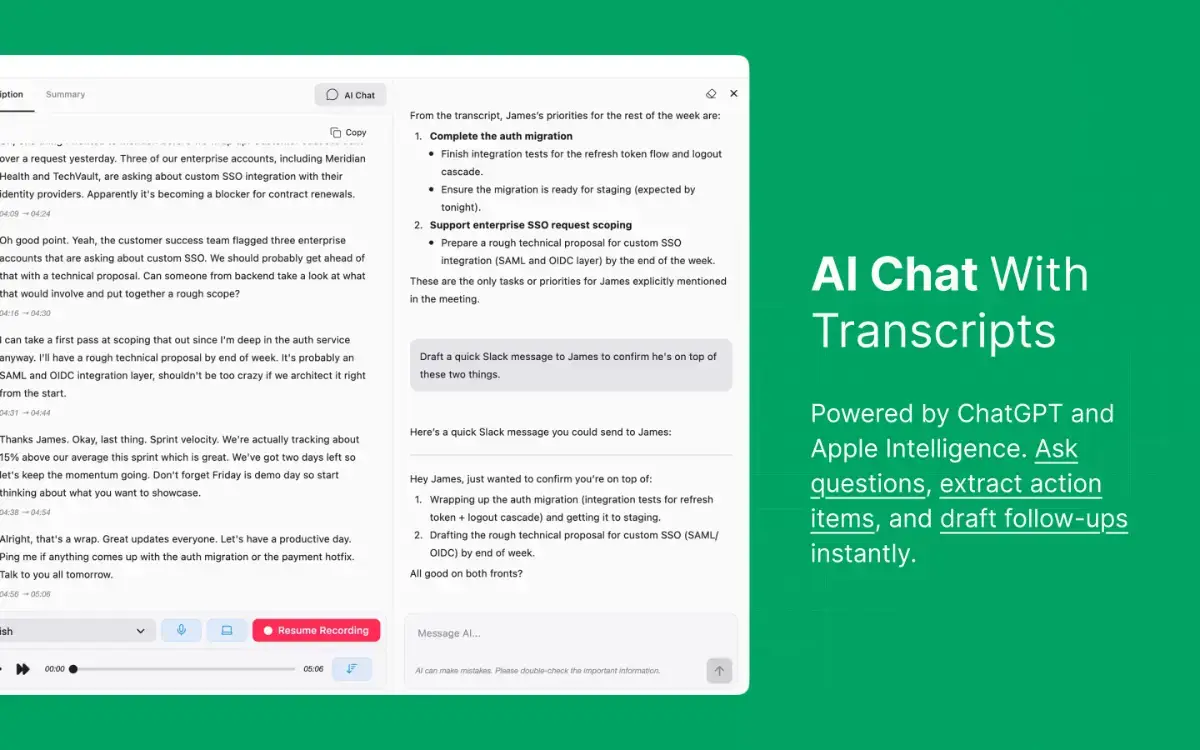
AI CHAT WITH YOUR RECORDINGS
Ask follow-up questions about any recording in a dedicated side panel
Pull out quotes, clarify decisions, draft follow-up emails, or rewrite sections in your own words
Conversation history is saved per recording, so you can pick up where you left off
Powered by ChatGPT through Apple Intelligence - no API keys, no separate accounts
Only transcript text is sent for context, never the audio file
AI-POWERED SUMMARIES
Structured summaries with key topics, action items, and decisions
Powered by ChatGPT through Apple Intelligence - no API keys needed
Auto Summarization option after every recording
Only transcript text is shared - your audio stays on your device
MENU BAR APP
Start, pause, and resume recordings from the menu bar
Switch audio sources and languages without opening the main window
Optional recording timer in the menu bar
SEARCH & ORGANIZE
Full-text search across all recording titles, transcripts, and summaries
Cmd+F to find within the current transcript, summary
Click any transcript segment to jump to that moment in the audio
Auto-scroll follows playback in real time
PRIVACY BY DESIGN
All transcription happens on your Mac - no audio uploaded anywhere
AI features share transcript text only, never your audio
No account required, no cloud dependency for core features
Save Audio toggle to store transcripts only and save disk space
Requires macOS 26 or later. Apple Intelligence required for AI Summarization and AI Chat.