✨ Meet Tablextract – Your AI Table Extraction Tool
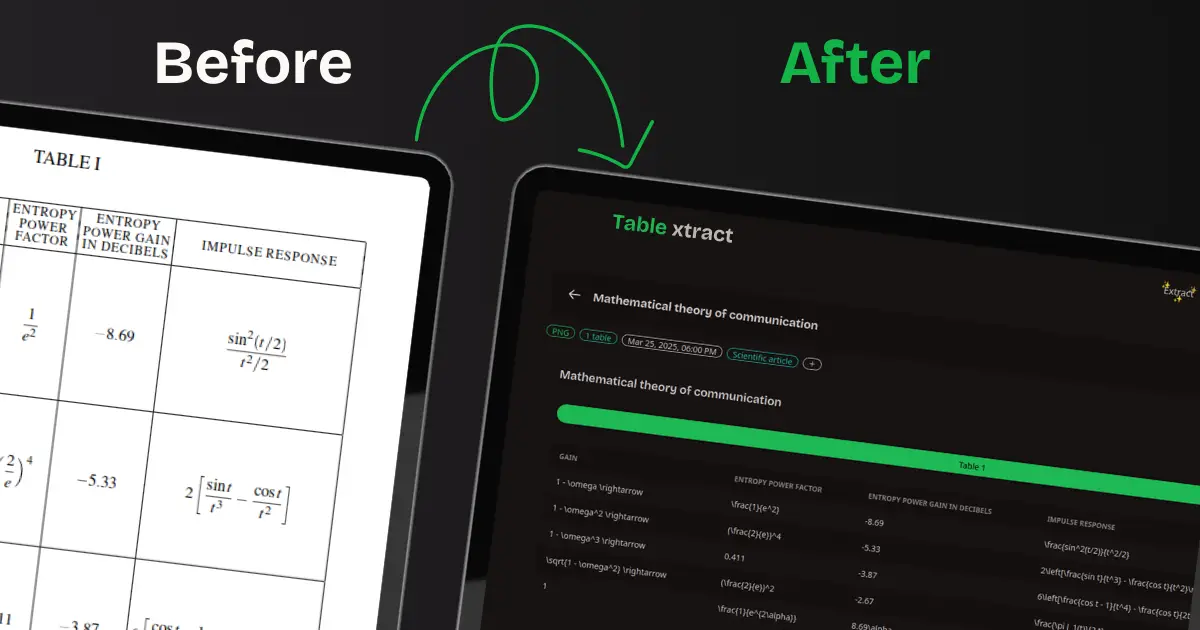
Tablextract is an AI-powered table extraction tool that can extract tables from almost any source:
PDFs
JPGs / PNGs
Screenshots
And even live photos on mobile!
This is probably a sequel from my accounting background, but I've always hated having to manually type invoices, especially recurrent ones, or when I was writing my thesis and had to manually re-transcribe a small, scanned, merged table located in the corner of a nightmare layoutted pdf.
🔥 Unique Features:
OCR Capabilities: Transform your handwritten or sketched table ideas into digital format.
Extraction Hints: Tablextract isn’t just an OCR tool—it’s smart. You can give it instructions like:
“Extract only the table from page 37 named genome sequencing”
“Include the subtotal, VAT, and total as a separate table”
Or even do a calculation, “Merge all these invoices into one table and create a total row” – and let it do its magic!
⚡ How It Works (Less Than 3 Clicks):
First click: Head over to tablextract.io/extract after setting up your account.
Second click: Upload your file, paste your screenshot, or snap a photo (if you’re on mobile).
Third click: Click Extract and voilà – your table is ready!
You can always get back to it at tablextract.io/history and export the results in excel, JSON or even just copy it to your clipboard and immediately paste it in your spreadsheet.