Offsend helps you catch sensitive data before it is sent to web AI chats.
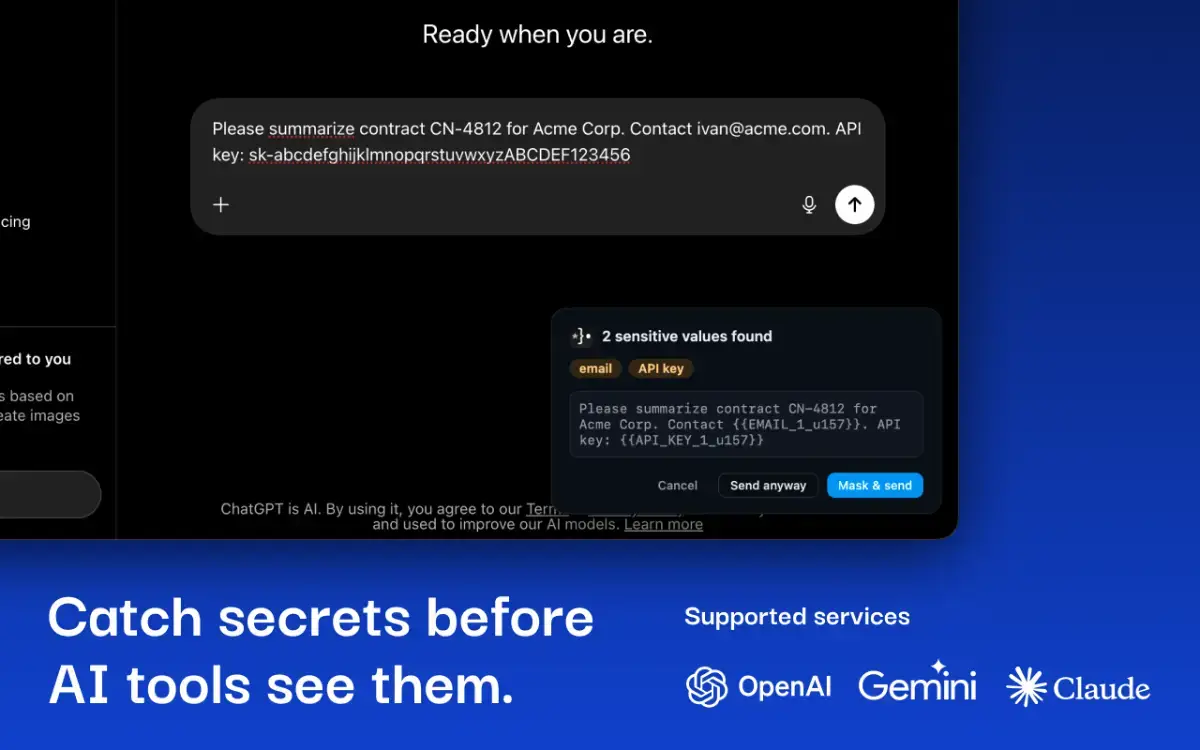
When you write or paste a prompt and press Send, the extension checks the text locally in your browser. If it finds API keys, tokens, private keys, emails, phone numbers, IDs, card-like values, or other sensitive data, you can mask them before the prompt is submitted.
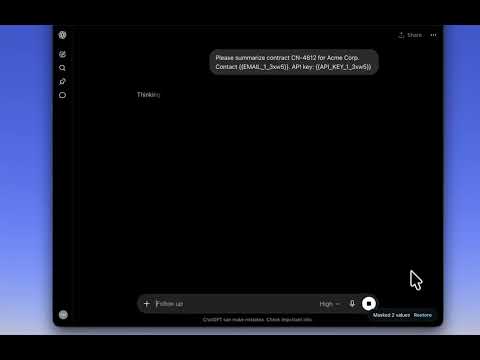
Masked values are replaced with readable placeholders like {{API_KEY_1}} or {{EMAIL_1}}, so the prompt still makes sense without exposing the original data.
You can also restore masked values later when needed.
Local scanning
Prompt content is scanned on your device.
Offsend does not upload prompts, findings, or the sites you use for scanning. There is no server-side analysis and no cloud account required.
The extension only uses the network for licensing, updates, and an optional anonymous active-install ping. That ping does not include prompt content, detected values, or browsing details, and can be turned off.
What Offsend helps with
• Detect sensitive data before it reaches an AI chat
• Mask secrets while keeping the prompt readable
• Replace values with stable placeholders such as {{API_KEY_1}}
• Restore original values from encrypted, time-limited mappings
• Stay quiet when nothing sensitive is found
• Show a warning if protection may be degraded because a site changed its layout
How it works
Write or paste a prompt into ChatGPT, Claude, or Gemini.
Press Enter or click Send.
Offsend scans the prompt locally before submission.
If nothing sensitive is found, the prompt is sent normally.
If sensitive data is found, you can Mask, Send anyway, or Cancel.
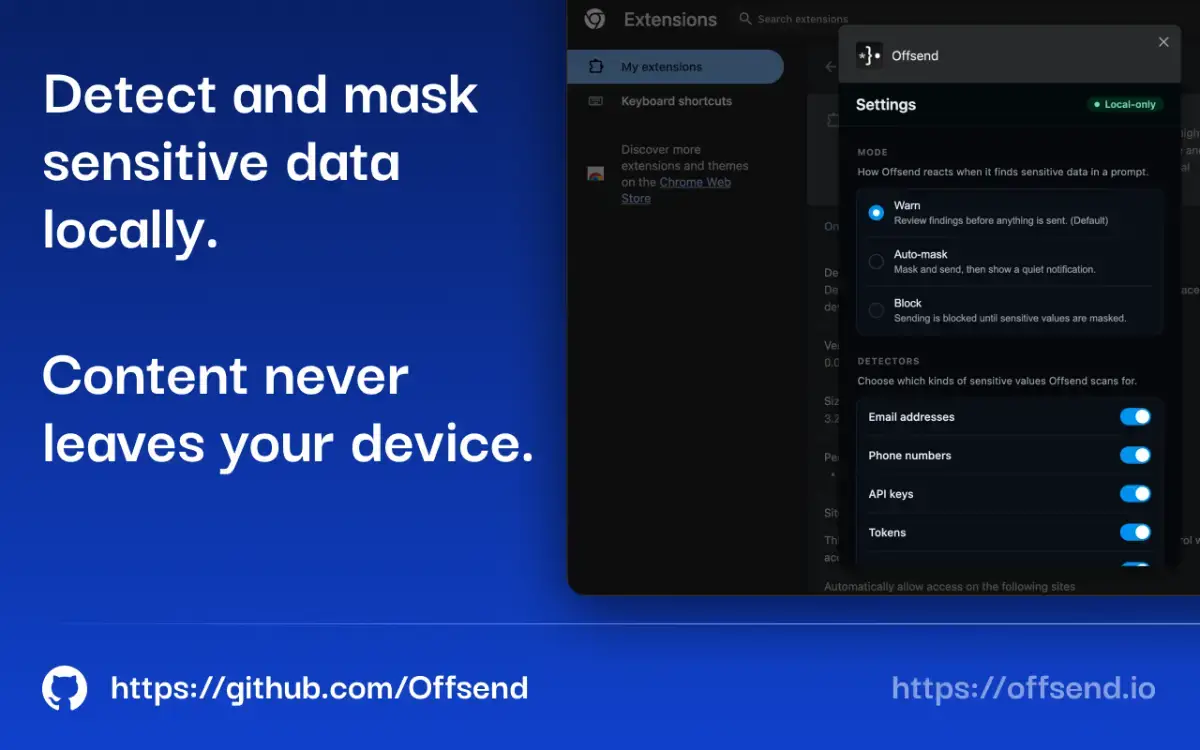
If auto-mask is enabled, Offsend masks detected values automatically and shows a small notification.
Everything runs in your browser. Sensitive prompt content is not uploaded for scanning.
Offsend brings the same local-first approach from the desktop app to web AI chats.
Learn more at https://offsend.io