Kipper - Your books, in Claude, ChatGPT or Slack
Kipper connects your accounting systems to the AI tools your team already uses, so you can get financial answers, cash flow forecasts, management reports, and multi-entity dashboards from your actual accounting data. Connect QuickBooks Online, QuickBooks Desktop, Xero, or NetSuite once and reach your financial information through Claude, ChatGPT, Gemini, Slack, or Microsoft Teams.
Two products
Kipper AI connects your books to Claude, ChatGPT, Gemini, and compatible MCP clients. Kipper returns the figures from your live accounting data, and your assistant builds the cash flow forecast, management report, CFO dashboard, or side-by-side comparison from them.
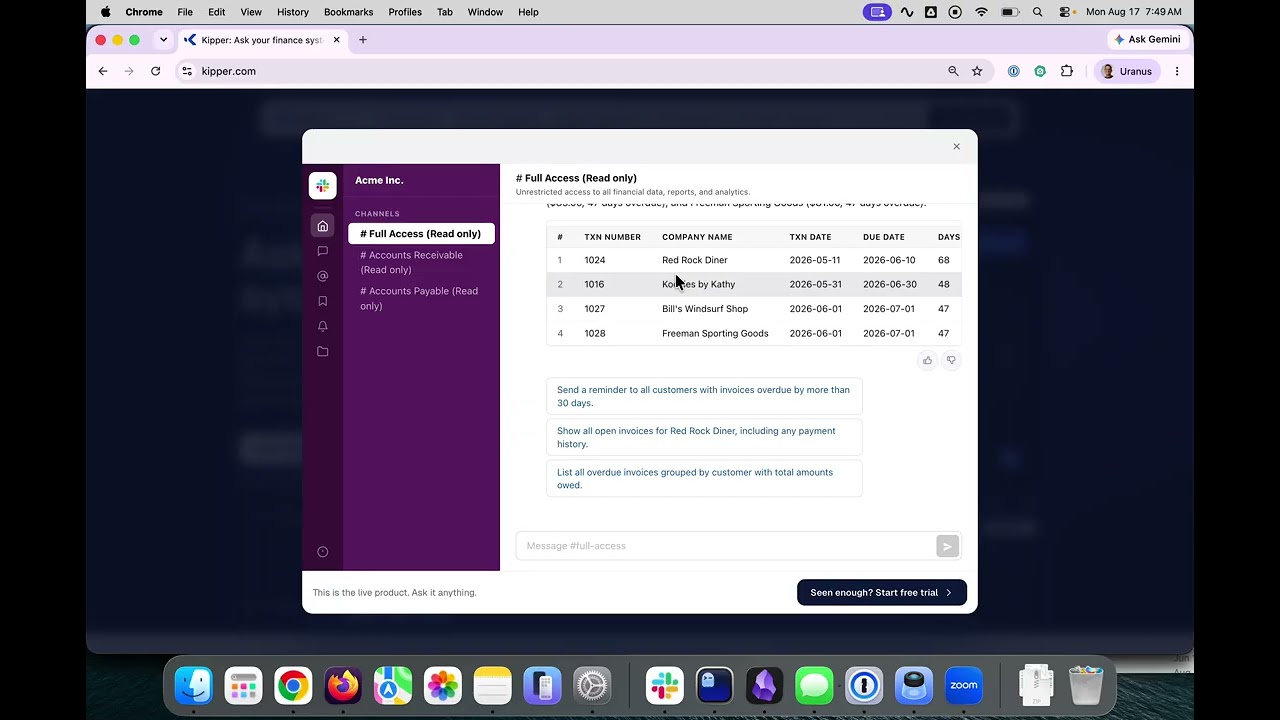
Kipper Chat answers everyday finance questions in Slack, Microsoft Teams, SMS, or the Kipper web app. Anyone you choose can check cash balances, overdue invoices, customer payments, and vendor balances in seconds, with no accounting system login.
Multi-entity
Connect every company you run to one workspace. Ask about one, a few, or all of them, compare performance, and see group-level results together. Transfers between your own companies stay on their own line, so they remain visible.
How it works
Connect QuickBooks Online, QuickBooks Desktop, Xero, or NetSuite. Add as many companies as you run.
Set permissions per person, team, or channel.
Pick where you ask: Claude, ChatGPT, or Gemini for Kipper AI; Slack, Teams, SMS, or the web app for Kipper Chat.
Ask in plain English and get the number back in seconds.
Why Kipper?
Unlike traditional BI and finance analytics tools, Kipper needs no dashboard setup and no manual spreadsheet exports. Connect your accounting system and start asking within minutes. Every figure comes from a query that runs against a synced copy of your books, so you can see the query behind the answer.
Security
Kipper is read-only by architecture and cannot create, edit, or delete records in your accounting system. Permissions are enforced when the query runs, so each person sees only what you allow. Queries are logged for auditing. Data is encrypted in transit and at rest, hosted on AWS in the US. SOC 2 Type II is in progress.
FAQ
Who is Kipper for?
Finance teams who want forecasts, reports, and dashboards in Claude or ChatGPT, and the sales, service, operations, and executive teams who just need a quick number.
Which accounting systems does Kipper support?
QuickBooks Online, QuickBooks Desktop, Xero, and NetSuite.
Where can I use Kipper?
Claude, ChatGPT, Gemini, and compatible MCP clients through Kipper AI. Slack, Microsoft Teams, SMS, and the Kipper web app through Kipper Chat.
Can Kipper modify financial data?
No. Kipper reads your books and never writes to them. Creating, editing, and approving stay in your accounting system.
Can Kipper report across several companies?
Yes. Put every company in one workspace, then ask about one, a few, or all of them. For eliminated statutory statements, use a consolidation tool.
How current is the data?
QuickBooks Online and Xero update in real time. NetSuite and QuickBooks Desktop update within minutes.
What does it cost?
Free for one QuickBooks Online company. Paid plans start at $200 a month for two companies and include a 14-day free trial. NetSuite is $1,000 a month.