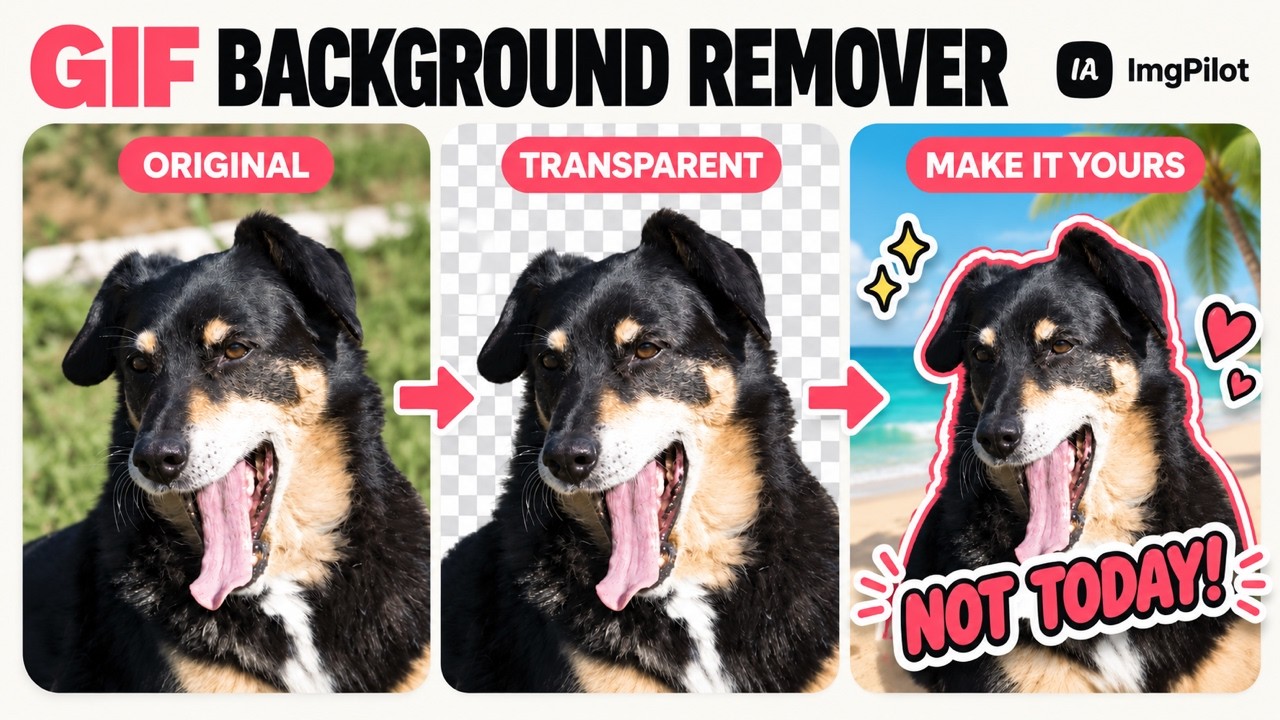
ImgPilot's GIF Background Remover cuts the subject out of an animated GIF and keeps every frame moving. Upload a GIF (up to 20 MB, 15 seconds, 2048 px per side), check the credit cost shown on the button, and get a transparent animation back.
From there, the cutout becomes a reusable asset. Place it on a color, a gradient, your own image, or a new AI-generated scene. Add text, stickers, an outline, a shadow or a glow, then resize the subject and canvas for wherever it will be posted. Editing and ordinary exports reuse the same cutout, so they don't cost more removal credits.
Export as GIF for compatibility, or as animated WebP or APNG to keep soft, semi-transparent edges around hair, fur and shadows.
Key features
Removes the background from the whole animation, not just one frame
Export to GIF, animated WebP or APNG (soft alpha transparency)
Replace the background with a color, gradient, your own image or an AI-generated scene
Add text, image stickers, outline, shadow and glow
Move, resize and rotate the subject, and change the canvas size
See the credit cost on the button before processing
Use cases
Reaction GIFs for chats and social posts
Animated stickers and memes
Transparent motion for websites and presentations
Creative scenes and promotional graphics
You can open the workspace and prepare a draft without an account. Sign in when you start processing. New accounts get free starter credits. ImgPilot also includes an image background remover, an AI image generator and an image converter.