

FinderLock is a native macOS app that protects your files and folders with AES-256 encryption and Touch ID — right from Finder.
Just right-click any file or folder to lock it, then unlock with your fingerprint or password. No Terminal, no disk images, no learning curve.
→ Takes one click → 100% local. No cloud, no subscription.
Key features
One-click protection in Finder's right-click menu
Touch ID biometric unlocking (or master password)
AES-256 encryption built on macOS's proven disk image format
Double-click any locked file to unlock instantly
Auto-lock timers and "lock on close" for hands-off security
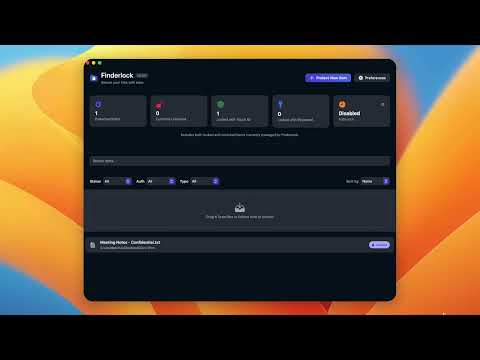
Menu bar dashboard to manage all protected items
Secure file shredder with multi-pass overwrite
Optional encrypted iCloud & Google Drive backups
Why it's different
100% local — no cloud dependency, no data collection, no account. One-time purchase, not a subscription. Your files stay yours and the app keeps working forever.
About FinderLock
FinderLock is a security product for macOS, with a free tier and paid plans. It's tagged with Encryption, Privacy, and Productivity. Free forever for up to 3 items, with paid plans for unlimited use. Requires macOS 13 Ventura or later (Apple Silicon + Intel).
Frequently asked questions about FinderLock
What is FinderLock?
FinderLock turns any file or folder into a Touch ID-protected, AES-256 encrypted item — straight from Finder.
Is FinderLock free?
FinderLock offers a free tier with up to 3 protected items, plus one-time paid plans for unlimited use. No subscription.
Does FinderLock work offline?
Yes. All encryption and unlocking happen entirely on your Mac. Internet is only used for license activation and updates.
What are alternatives to FinderLock?
Common alternatives include VeraCrypt, Knox, FileVault, and Disk Utility — but FinderLock is the only one with one-click Finder integration and Touch ID built for everyday users.
What category does FinderLock belong to?
FinderLock is listed under Security & Privacy on Uneed.