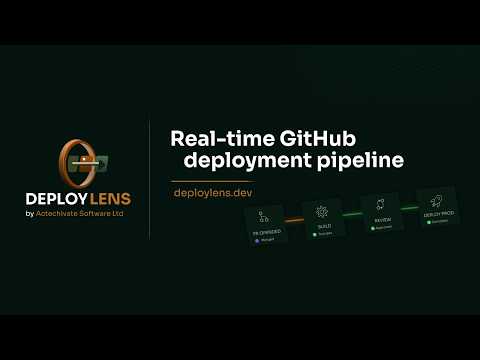
DeployLens is a real-time Kanban dashboard for GitHub deployment pipelines. It connects via a GitHub App and turns pull requests, workflow runs, and deployment events into a live, auto-updating board - driven by GitHub webhooks.
Instead of opening GitHub Actions repeatedly to check whether a build passed or a deploy landed in staging, DeployLens shows everything in one place: open PRs, in-progress workflow runs, and the current state of each deployment environment.
How it works
- 1. Install the DeployLens GitHub App from the GitHub Marketplace
- 2. Select your repositories
- 3. Your pipeline board appears immediately - no YAML changes, no configuration required
What you see on the board
- Pull Requests — open PRs with review status and check results
- Workflow Runs — builds and checks in progress
- Environments — one column per environment (staging, production, etc.)
- Failures stay visible until resolved; all cards link back to GitHub
Security and Permissions
DeployLens is built with a security-first architecture and offers two integration modes depending on your team's compliance requirements:
- Standard Mode (Recommended): Uses highly restricted, Read-Only permissions Actions, Checks, Deployments, Pull-requests, Metadata, Issues, and Contents). We use the Contents scope solely to enrich your dashboard with change scope labels and recent commit details. No source code is ever stored.
- Privacy Mode (SOC2-Friendly): Completely strips away the Contents, Push, and Commit comment scopes. DeployLens operates entirely on metadata (PR statuses, workflow runs, and deployment events). Zero source code access.
Data Guardrails: We only listen to webhook events required to update your board in real-time (like Check Runs, Deployment Status, and PR Reviews). We never request write access to your repositories.
Pricing
14-day free trial, no payment card required.


About DeployLens
DeployLens is a development product listed on Uneed as a paid product. It's tagged with CI CD, Monitoring. See the best CI CD products for related options.
Frequently asked questions about DeployLens
What is DeployLens?
DeployLens is track every GitHub PR, build, and deployment in one real-time dashboard.
Is DeployLens free?
DeployLens is a paid product. Check their website for current pricing.
What are alternatives to DeployLens?
Discover similar ci cd, monitoring, agile products in the Uneed directory.
What category does DeployLens belong to?
DeployLens is listed under Development on Uneed.
User reviews
No reviews yet
Be the first to review DeployLens and help other makers discover it.
This product has no rewards yet.
This product has no deals yet.
Publisher

Launch Date
2026-10-09Category
DevelopmentPricing
PaidSocials
Best products in the same categories
Related tools

Since.dev
Self-repairing software for a world that never stops changing.
GitNotifier
Stop dragging GitHub Pull Request reviews for days. Get Slack DM notifications.

InstaPods
Get your app online in seconds

GoReplay
GoReplay - Capture and Replay Production HTTP Traffic

Instance Scheduler
Schedule and manage AWS EC2 instances automatically