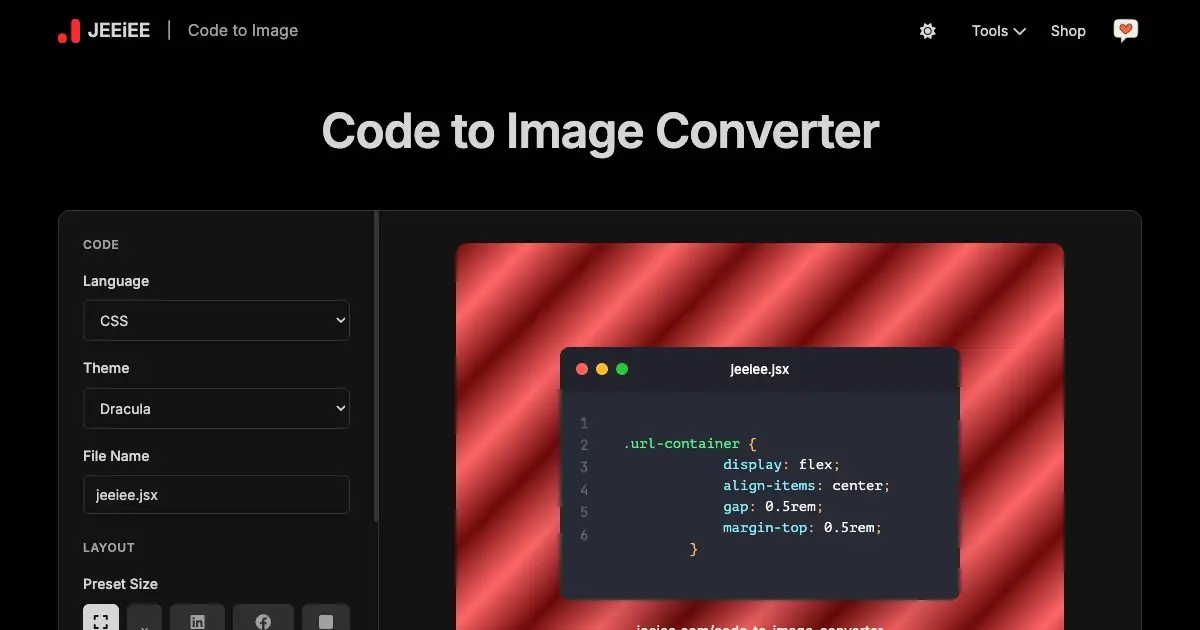
It’s a free online tool that lets you turn programming code into a beautiful image with syntax highlighting and custom styling. You can paste your code, choose the language and theme, adjust background, layout, font size, line numbers, and then download the output as an image (like PNG, JPG, or WebP). This makes the code look nice for sharing on social media, blogs, docs, or presentations.
How to use:
Paste your code in the editor.
Choose the programming language (JavaScript, Python, HTML/CSS, etc.).
Pick a style (theme, background, font).
Set options like size, line numbers, layout, watermark.
Click Download to save your code as an image.
In short, it’s for creating a styled screenshot of your code that looks polished and shareable.