We've tested Rowform, a conversational AI form builder with unlimited forms, questions, and responses on the free plan, plus logic jumps, webhooks, 500+ templates, and strong automation features.
If you're looking for a Typeform alternative, you've probably hit the same wall as everyone else: the free plans often run out fast, advanced logic gets locked behind paid tiers, and pricing climbs quickly as soon as forms become business-critical.
That is exactly the angle Rowform is pushing. It positions itself as the free Typeform alternative, keeps the conversational one-question-at-a-time experience, adds AI form generation, and puts an unusually large feature set inside the free plan. In this review, we'll look at how Rowform presents itself, what features stand out, and who it makes the most sense for.
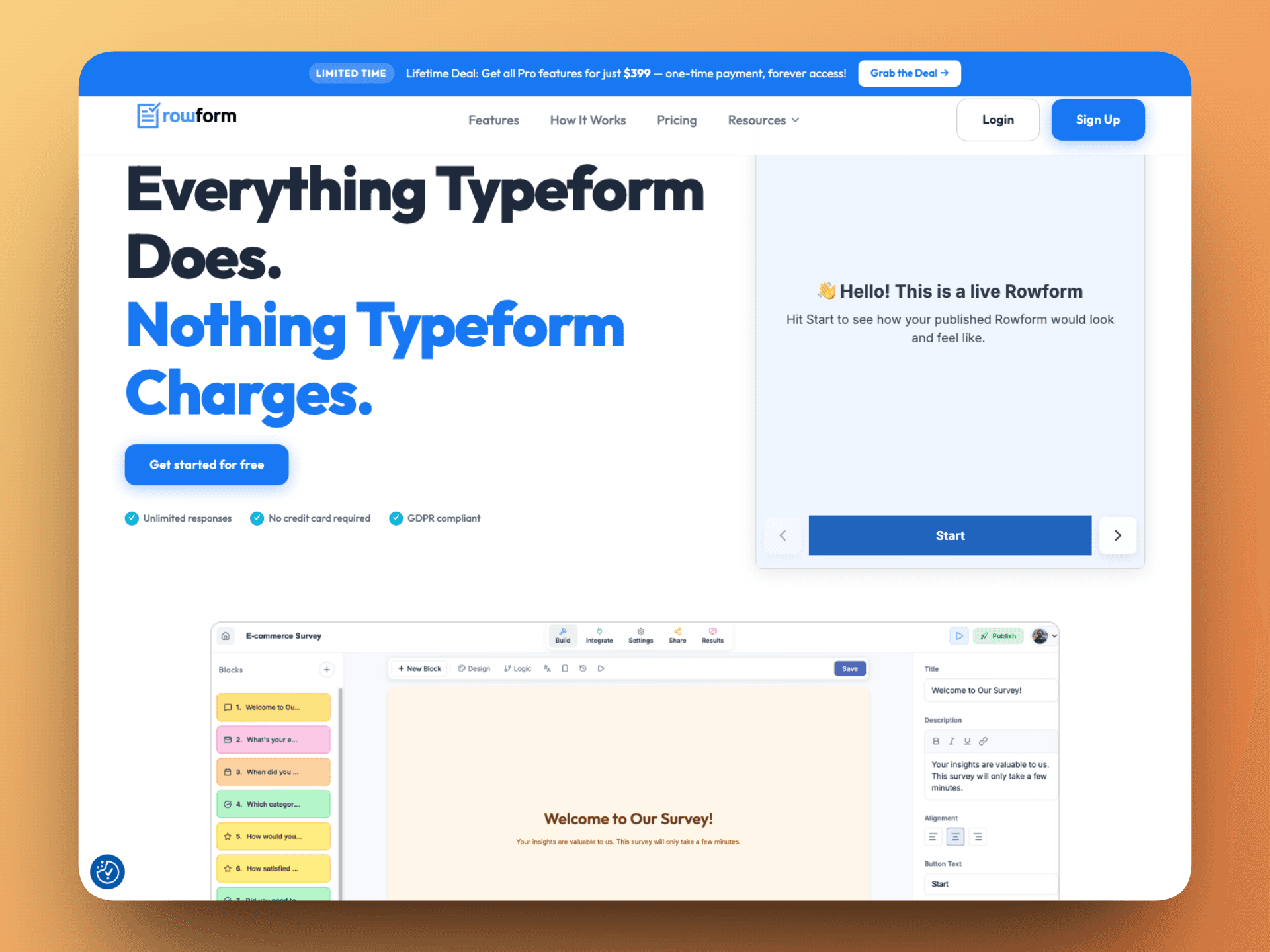
The homepage gets straight to the point with a bold promise: "Everything Typeform Does. Nothing Typeform Charges." Whether you agree with the comparison or not, the positioning is instantly clear. This is a product built to win on simplicity, generous limits, and price.
The first impression is strong because the site immediately surfaces the things users actually care about:
Unlimited responses
No credit card required
GDPR compliant
AI form builder
Conversational UI
A visible free, Pro, and lifetime pricing structure
That clarity matters. Instead of hiding the value behind vague marketing language, Rowform tells you what you get and what it costs within seconds.
Homepage preview with Rowform's builder interface shown directly on the page.
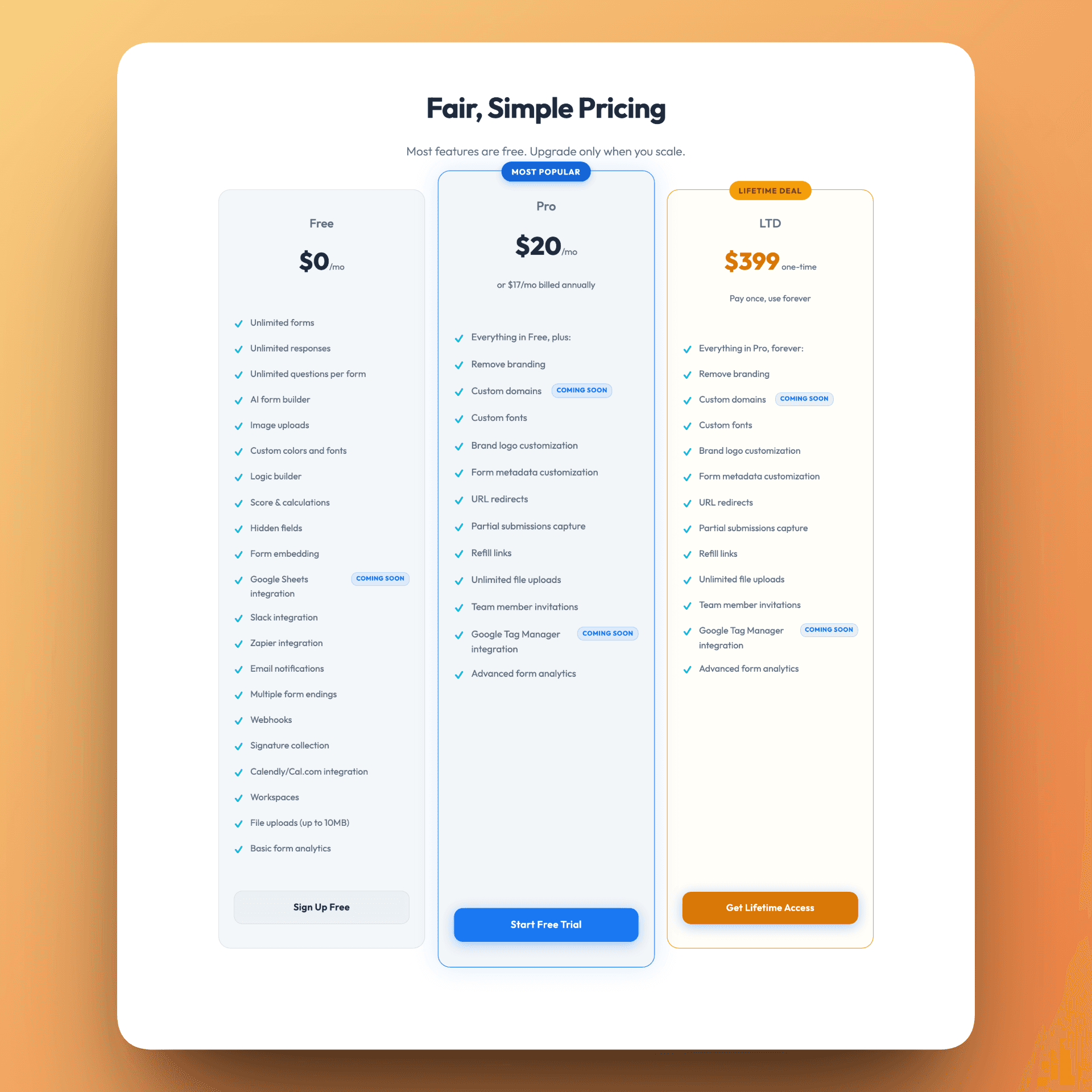
On the public pricing section, the Free plan includes:
Unlimited forms
Unlimited questions per form
Unlimited responses
AI form builder
Logic builder
Score and calculations
Hidden fields
Webhooks
Slack and Zapier integrations
Calendly / Cal.com integration
Signature collection
File uploads up to 10MB
Basic form analytics
That is far more generous than what most form builders expose on their free tiers. For startups, indie makers, agencies, or anyone validating a project, this removes a lot of the usual friction.
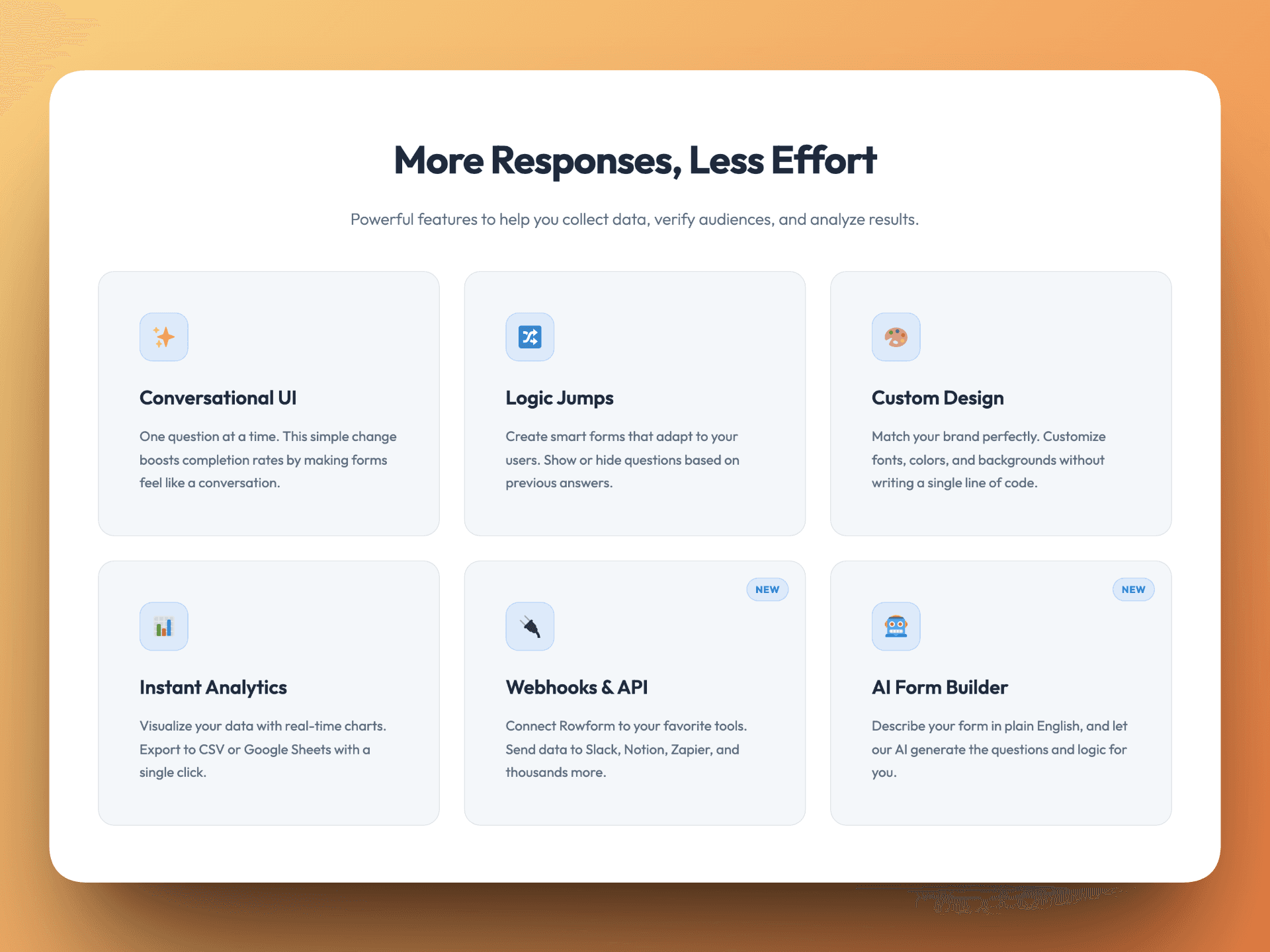
Rowform leans into the familiar conversational form experience: one question at a time, cleaner focus, and a format designed to improve completion rates compared with long static forms.
The other notable addition is the AI form builder. The pitch is simple: describe your form in plain English and Rowform generates the structure and logic for you. That matters for users who know what they want to collect but do not want to build every question flow manually.
The product also emphasizes:
Custom fonts, colors, and backgrounds
Multiple form endings
Embed support
Branding controls on paid plans
Feature section highlighting conversational UI, logic jumps, webhooks, and the AI form builder.
Rowform looks especially strong for users who want forms to plug into real workflows rather than sit in isolation.
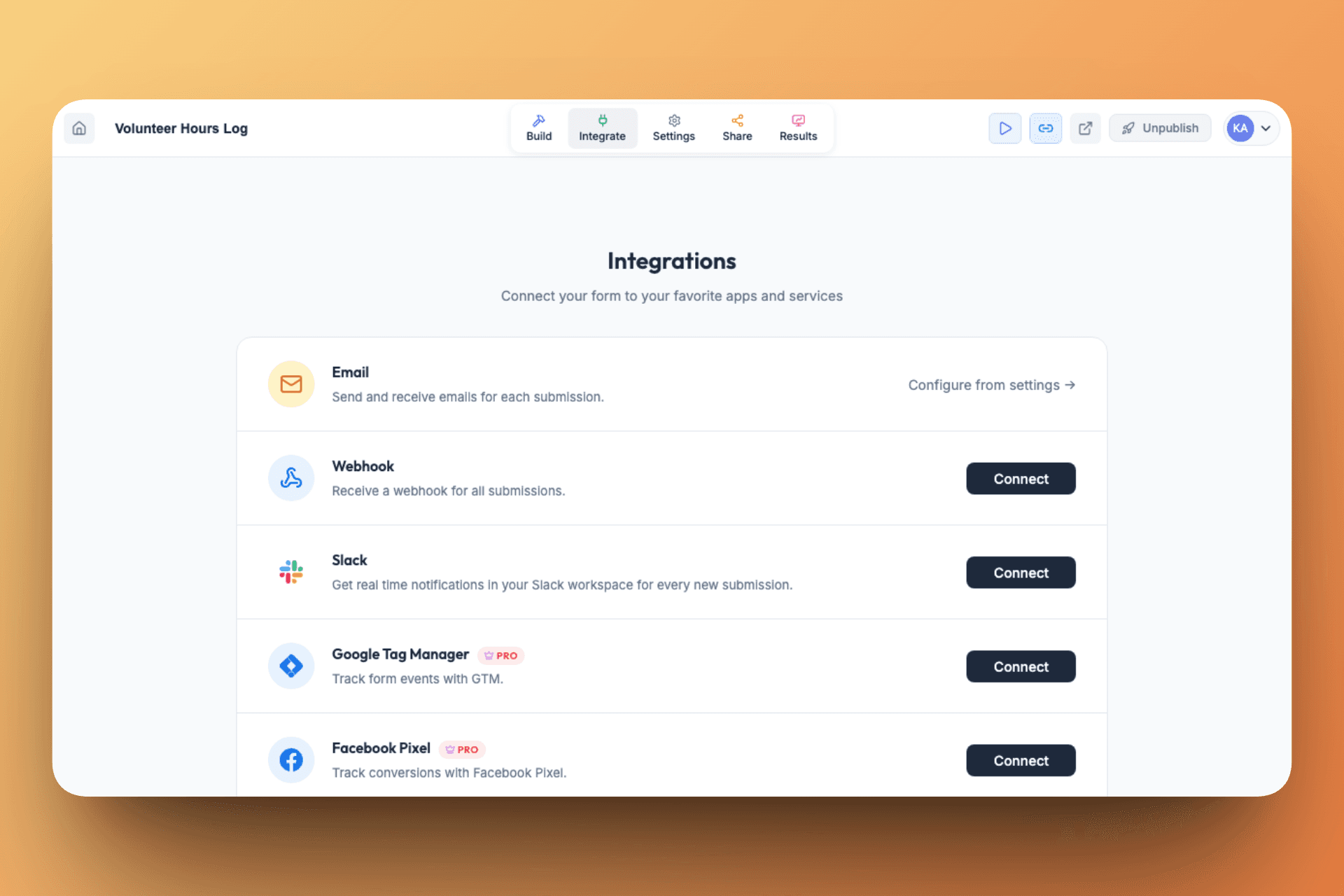
From the site, pricing copy, and the logged-in integrations screen, the current stack includes:
Email notifications
Webhooks
Slack integration
Zapier integration
Calendly / Cal.com integration
Google Tag Manager integration on paid plans
Facebook Pixel integration on paid plans
What makes this more interesting is that the integration layer is not limited to no-code automation. Rowform also supports tracking and conversion workflows through GTM and Facebook Pixel, which makes it more useful for marketing teams running acquisition funnels and paid campaigns.
Inside the logged-in app, Rowform exposes integrations for email, webhooks, Slack, GTM, Facebook Pixel, Zapier, Calendly, and Cal.com.
Beyond integrations, several practical form-building features stand out:
Logic jumps / conditional branching
Score and calculations for quizzes and assessments
Hidden fields for attribution or campaign context
Signature collection
File uploads
Partial submission capture on paid plans
Refill links on paid plans
This makes Rowform more than a simple contact-form tool. It is positioned for lead generation, registrations, onboarding flows, quizzes, and qualification forms.
Inside the logged-in product, Rowform does a better job than the public site of showing how quickly you can get started.
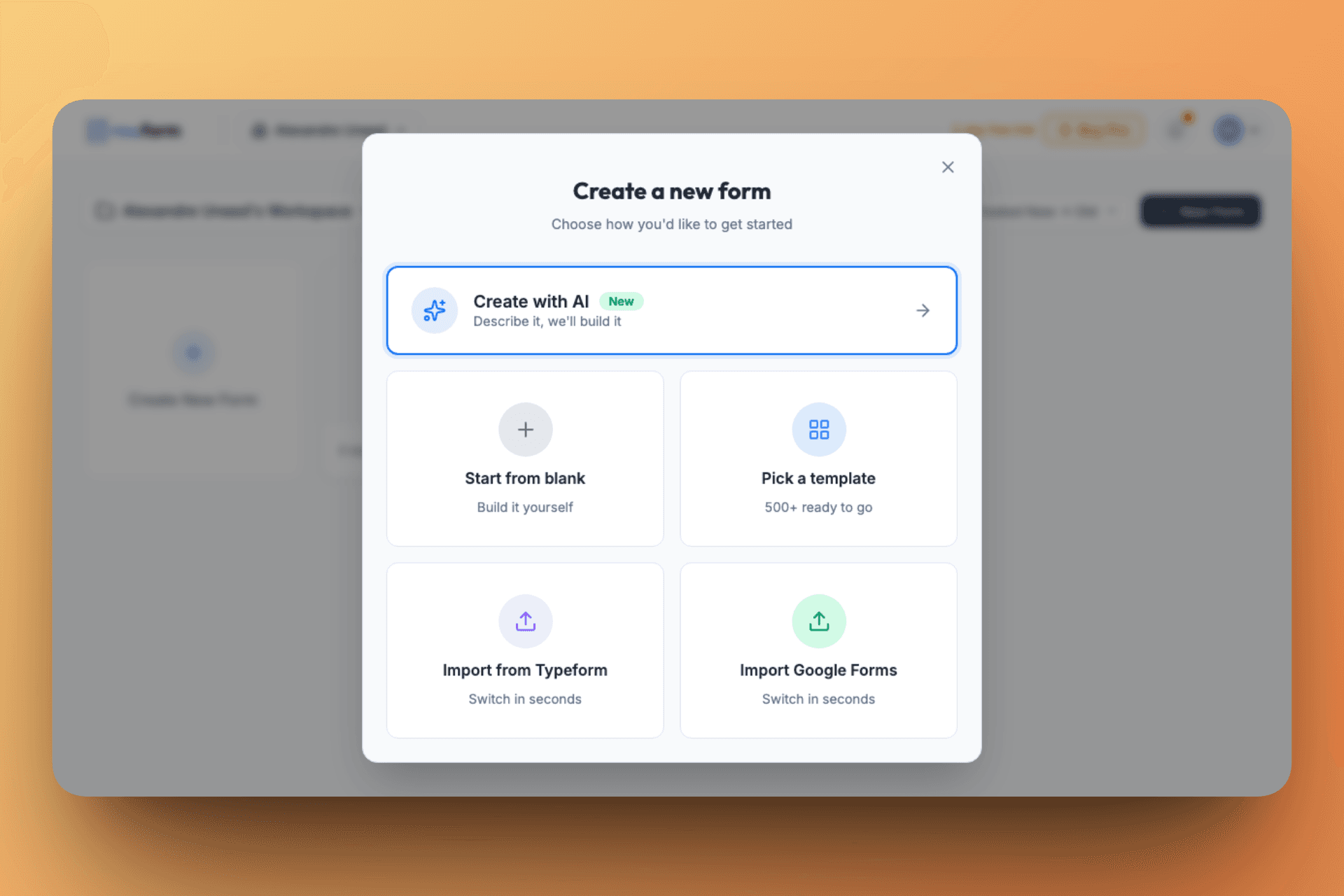
When creating a new form, you are not limited to a blank canvas. The app currently offers five starting points:
Create with AI
Start from blank
Pick a template
Import from Typeform
Import Google Forms
That is a strong setup for new users because it reduces the usual friction. You can generate a form from a prompt, build one manually, migrate from another tool, or simply begin from a ready-made structure.
The logged-in creation flow offers AI, blank forms, templates, and import options in one place.
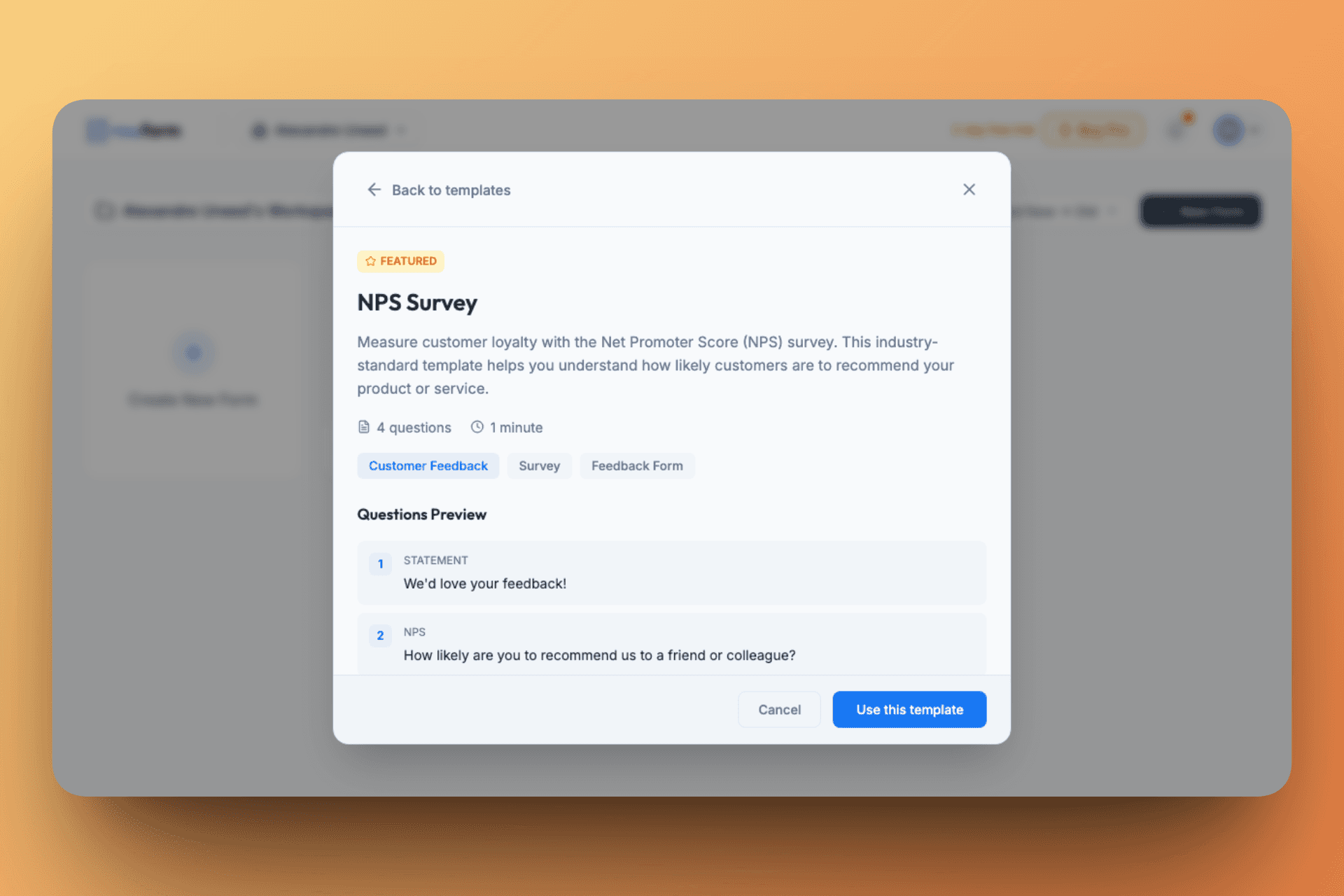
Rowform also includes a searchable library of 500+ templates. More importantly, templates are not just listed as names in a grid. You can preview them before importing, with a quick summary of the use case, estimated completion time, question count, and example flow.
Template preview screens make it easier to evaluate a form before adding it to your workspace.
In the app, we found templates for:
NPS surveys
Customer satisfaction surveys
Contact forms
Event registration forms
Lead capture forms
Employee engagement surveys
Product feedback forms
Job application forms
This is more useful than it sounds. A large template library helps new users avoid blank-page friction, shortens setup time, and makes Rowform more practical for teams handling different workflows across marketing, ops, recruiting, and customer research.
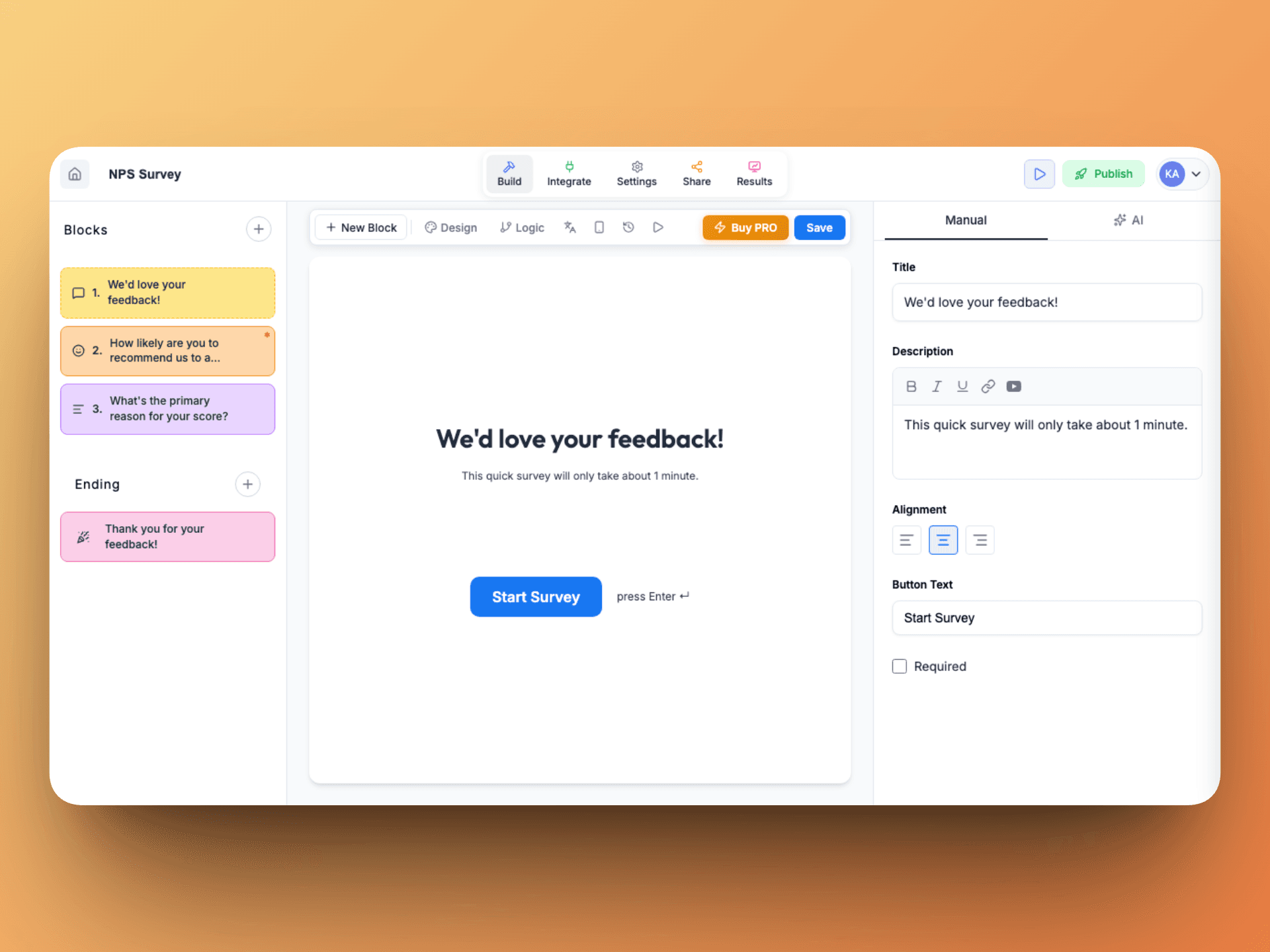
Once a template is selected, it drops straight into the editor with its blocks, ending screen, and customization controls already in place. That makes the library feel like a real acceleration layer rather than a superficial gallery.
A selected template opens directly in the builder, ready to edit, style, publish, and connect.
People actively looking for a Typeform alternative with fewer limits on the free plan
Startups and indie makers who need forms, logic, uploads, and integrations without adding another expensive SaaS bill
Marketers and growth teams building lead capture, qualification, booking, and feedback flows
Educators, recruiters, and operators who need scored quizzes, assessments, and conditional logic
Teams with multiple form workflows who want one tool for surveys, lead capture, registrations, and assessments
People who want faster setup through AI generation, templates, or migration from Typeform / Google Forms
If your priority is enterprise governance, deep admin controls, or a long-established ecosystem, you may still want to compare Rowform with larger incumbents. But for affordability and feature density, it is a compelling option.
Rowform does a very good job of focusing on the pain point that makes many people leave traditional form tools: pricing friction. By offering unlimited forms, questions, and responses on the free plan, then layering in AI generation, logic jumps, integrations, and flexible use cases, it presents itself as a serious alternative rather than a stripped-down clone.
What I loved:
Truly generous free plan with unlimited forms, questions, and responses
AI form builder included on free
500+ templates plus import flows from Typeform and Google Forms
BlogSEO Review - SEO Automation That Writes, Benchmarks and Builds Links
We've tested BlogSEO, an SEO automation tool that researches keywords, writes and publishes blog articles, trades backlinks through a non-reciprocal network and lets Claude or ChatGPT run it over MCP.
Reviews
ScreenKite Review - The Mac Screen Recorder Your AI Agent Can Edit
We've tested ScreenKite, a native Mac screen recorder and video editor that hands its timeline to your own AI agent, with auto zoom, 3D device mockups and on-device captions.
Reviews
Superblog Review - A Blogging Platform Built for Google and ChatGPT
We've tested Superblog, a hosted blogging platform for SaaS teams that handles technical SEO, AI search, subdirectory hosting and built-in auto-translation, with an MCP server for AI agents.
Reviews
MakeForms Review - A HIPAA Form Builder That Also Signs and Schedules
We've tested MakeForms, a HIPAA-ready form builder that bundles OTP verification, per-region data storage, e-signatures, document generation and scheduling.
We use cookies
Essential and analytics cookies keep Uneed running and help us understand usage, and a referral cookie credits the partner who sent you. Marketing cookies are optional. Privacy policy