
TextoPal
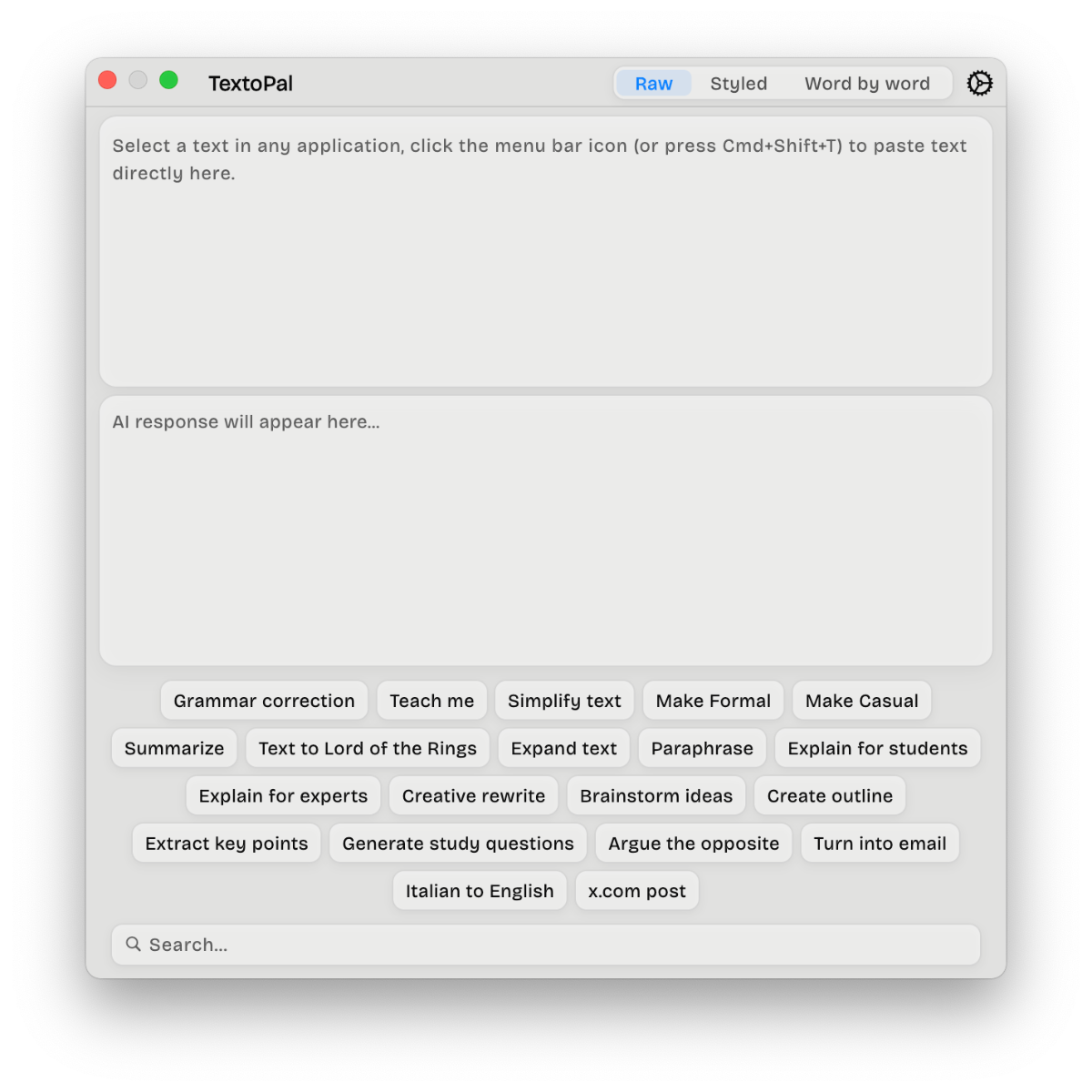
TextoPal is a Mac menu bar app that instantly transforms any selected text using AI. Select text, click or use a shortcut, and get corrected, translated, or rewritten content that you can paste back with one click.
Features
Integrated
Menu bar app always ready
Works with any text across your entire Mac
One-click or keyboard shortcut activation
Transformation
Select text anywhere, trigger TextoPal, get results immediately
One-click paste back to original location
No breaking your workflow or switching apps
Corrections
Fix grammar, spelling, and punctuation errors automatically
Learn and improve your writing as you go
Translations
Translate into any language
Powered by Gemini 3 Flash for nuanced, contextual translations
Actions
Create your own AI prompts for any writing task
Build a personal library of reusable transformations
Examples: text to Lord of the Rings style, meeting notes to todos, email formatting, etc.
AI
All features included, no tiered pricing
Powered by Google's Gemini 3 Flash
Free 3-day trial, then 30€/year with cancel anytime
How TextoPal Solves Your Life
For Writers & Editors
Stop the juggling act between editing tools and your writing space. Fix issues directly where you write, see why changes were made, and develop better habits through learning. Your writing process becomes continuous rather than interrupted.
For Professionals & Business Users
Transform email drafts from casual to professional instantly. Translate communications without leaving your inbox. Create custom actions for repetitive tasks like formatting reports, generating meeting summaries, or converting data to bullet points. What used to take minutes now takes seconds.
For Developers & Technical Writers
Keep your technical documentation clean and consistent. Generate code comments in standard formats. Translate documentation while maintaining technical accuracy. Create custom prompts for your specific documentation needs.
For Students & Researchers
Fix grammar and improve clarity on essays without switching apps. Translate research materials from foreign languages. Create custom actions for citation formatting, summary generation, or turning notes into study guides.
For Anyone Who Writes
Eliminate the constant context switching that kills productivity. Instead of copying text to a separate tool, waiting for results, then pasting back, you transform in place. The explanation feature turns every use into a learning opportunity, making you a better writer over time.
The result: less friction, faster output, better writing, and more time for what actually matters.